We’re excited to announce a new data citation API endpoint and are seeking your feedback. The new service makes existing data citation relationships in our metadata available, thereby surfacing this part of the research nexus. At the same time, we’ve decided that it’s time to move on from Event Data.
Metadata is communication; it can tell a story about research and paint a picture for others to respond to and learn from, across the world and throughout the forthcoming generations. Metadata can feel technical with words like ‘infrastructure’ and ‘schema’, and sometimes, like tech in general, it comes with hyperbole. But metadata really is part art (storytelling and pictures) and part science (structured models and standards) with both aspects being equally important, and requiring people as well as systems. That necessary combination of human and machine involvement also makes metadata challenging.
Once a year we release all metadata records for content registered with Crossref in a public data file. This year’s version, containing nearly 180 million records, is now available. It includes metadata associated with all Crossref-registered DOIs in JSON-lines format.
Crossref Ambassadors act as local points of contact, meeting editors, librarians, researchers, and institutions to help them navigate Crossref services and understand how strong metadata supports visibility, integrity, and trust in research. They explain how to participate in our rich network of connections between works, people, and institutions, in ways that make sense in their own contexts. And last year, being our 25th anniversary, Ambassadors also massively contributed to our celebrations!
Not sure if you’re using iThenticate v1 or iThenticate 2.0? More here.
Not sure whether you’re an account administrator? Find out here.
The Submitted Works repository (or Private Repository) is a new feature in iThenticate 2.0, which is now available to Crossref members. This feature allows users to find similarity not just across Turnitin’s extensive Content Database but also across all previous manuscripts submitted to your iThenticate account for all the journals you work on. This would allow you to find collusion between authors or potential cases of duplicate submissions.
How does this work?
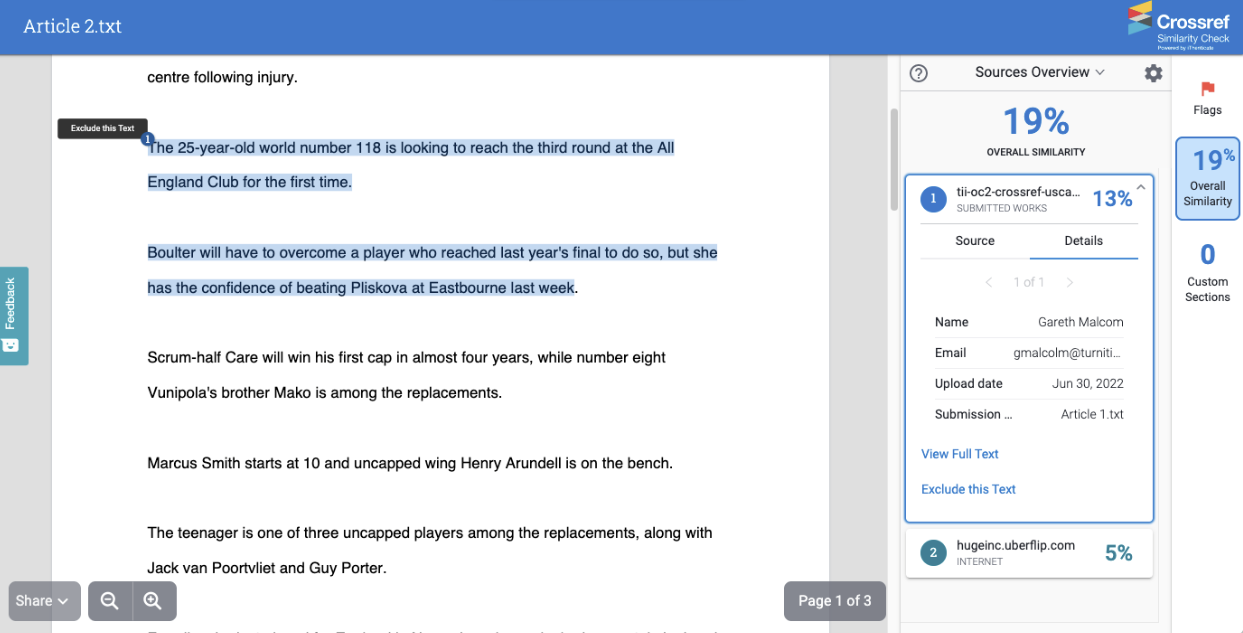
You have received a manuscript from Author 1 and have decided to index this manuscript into your Submitted Works repository. At some point later you receive a new manuscript from Author 2. When generating your Similarity Report, you have decided to check against your Submitted Works repository. There is a paragraph in the manuscript from Author 2 which matches a paragraph in the manuscript from Author 1. This would be highlighted within your Similarity Report as a match against your Submitted Works repository.
By clicking on this match you can see the full text of the submission you’ve matched against:
And details about the submission, such as the name and email address of the user who submitted it, the date it was submitted and the title of the submission:
The ability to see the full source text and the details can both be switched off individually.
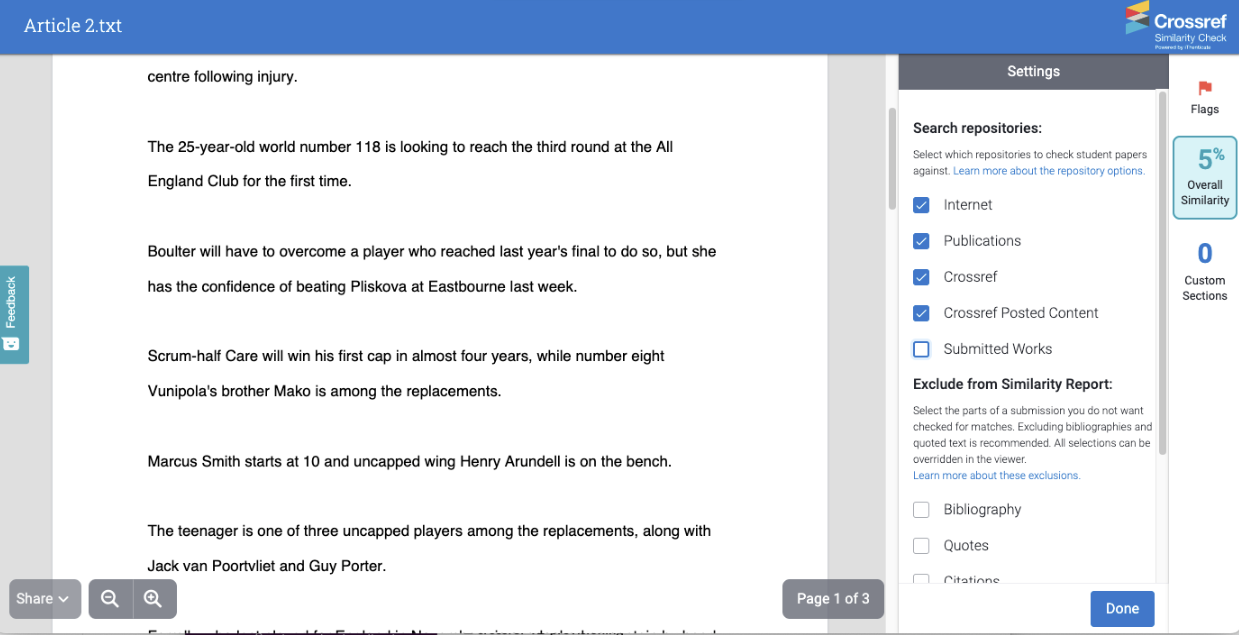
As with all matches, they can be excluded from the Sources Overview panel or you can turn off matches against all Submitted Works from the settings: